
WhatsApp Hacked or Banned in Malaysia? How to Protect Your Account, and What to Do If It Happens
WhatsApp is how a lot of people in Malaysia keep family chats, work groups, business orders and school updates in one place. Lose the account, and it can feel like a chunk of daily life has gone with it. This guide covers why accounts get taken over or blocked, what actually reduces the risk, and what to do if it already happened.
What’s actually happening
People often treat hacking and banning as the same thing. They are not.
- Account hacking means someone else gets control of your WhatsApp, usually after you hand over a verification code. They then message your contacts or push spam from your name.
- Account banning means WhatsApp has blocked the number for breaking its rules. A hacked account often ends up banned because the person who took it used it for scams or bulk messaging.
These blocks come from WhatsApp (Meta), not from the Malaysian government. MCMC can look into complaints and ask Meta for answers, but the suspension itself is WhatsApp’s. Some bans can be appealed. Some are final.
How WhatsApp accounts get hacked
Most takeovers are not a technical break-in. Someone talks you into helping them.
- The verification code scam. A message arrives, often from a contact who says they are locked out, asking you to forward the 6-digit code you just received. That code is the login for your WhatsApp. Send it, and they are in.
- Fake links and phishing. An urgent message about a parcel, a prize or a bank alert leads to a fake login page, or tries to install malware.
- Malicious files. Unexpected attachments, including ZIP files, can carry malware if you open them.
- Fake “account recovery” services. People who promise to get a hacked or banned account back. Plenty of them take more of your data, or your money.
Treat the WhatsApp verification code like a bank PIN. Do not share it with anyone. Not a friend, and not anyone claiming to be support.
How to protect your account
A short setup now is easier than trying to recover later.
1. Turn on two-step verification
This is the step that matters most. It adds a 6-digit PIN that WhatsApp asks for before anyone can register your number on a new device. Even if someone gets your SMS code, they still cannot log in without the PIN. Go to Settings → Account → Two-step verification → Turn on. Set a PIN you will remember, and add your email as a backup.
2. Never share verification codes or PINs
No real person or company will ask for your WhatsApp code. If a message asks for it, even one that looks like a friend, stop and call that person on another line. It is usually a hacked account messaging you.
3. Add more than one admin to important groups
If you run a family, business or community group and your account gets blocked, the group does not have to die with it. Appoint at least two or three admins. If you lose access, another admin can keep the group going and add your new number once you are set up again. A group with one admin is one ban away from a mess.
4. Make sure key people have you saved as a contact
If you have to start again on a new number, the people who matter need to find you and add you back. Save family, close colleagues and key customers properly, and ask them to save you too. When you are locked out, a saved contact is the fastest way back into the groups and chats you lost.
5. Be suspicious of links, files and urgency
Do not open unexpected attachments, especially ZIP files, and do not tap links that push you to act now. If you are unsure, check with the sender through another channel before you open anything.
6. Turn off automatic media downloads
This is the setting that stops a scam ZIP from landing on your phone before you have even decided to open it. Go to Settings → Storage and data → Media auto-download and set it to No media, or to Wi-Fi only if you still want photos from people you trust. Files then stay in the chat until you tap them, which gives you a chance to ignore anything unexpected.
7. Control who can add you to groups
Scam and spam groups often start with a stranger adding you, then dropping a fake parcel, prize or “support” message. Go to Settings → Privacy → Groups and change it from Everyone to My contacts. People who are not saved in your phone can no longer pull you into a group. They can only send an invite, which you can ignore.
8. Avoid unofficial apps and “recovery” services
Use the official WhatsApp app. Modified versions such as GB WhatsApp, and third-party recovery services, are a common way accounts get compromised in the first place.
If your account gets hacked
Move quickly. The sooner you take the number back, the less the other person can do with it.
- Re-register your number. Open WhatsApp, enter your phone number, and request a new SMS code. Entering that code logs you back in and logs the other person out.
- Enter your two-step PIN if WhatsApp asks for it. If you had one set, they may not have got fully in.
- Warn your contacts that the account was compromised, so they do not fall for messages sent in your name.
- Check linked devices under Settings → Linked devices, and log out anything you do not recognise.
- Turn on two-step verification straight away if it was not already on.
- Report it to WhatsApp at [email protected]. If money or serious fraud is involved, also lodge a report with the authorities.
If your account gets banned
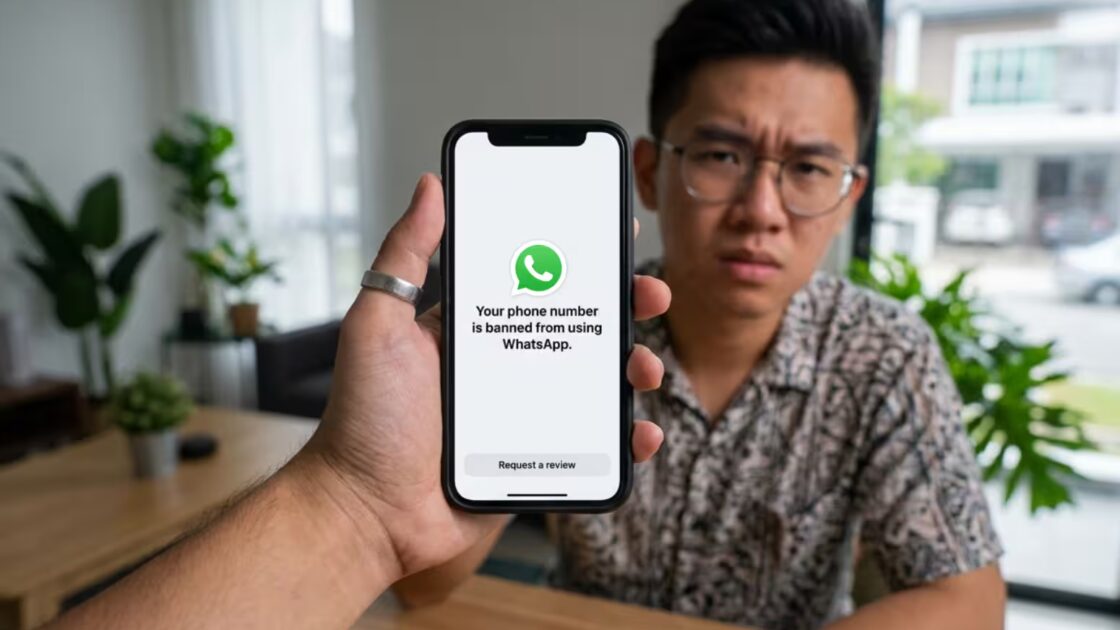
A ban shows a message that your number is banned from using WhatsApp. The path back looks like this.
- Look for the “Request a review” button. If it is in the app, tap it. That sends an appeal to WhatsApp, which usually replies within about 24 hours. You can add a short explanation.
- If there is no review option, the ban is final for that number and cannot be appealed. Each appeal covers one phone number only.
- Email WhatsApp support at [email protected] with your full number in international format (+60…) if the in-app option is missing.
- If the ban stays, set up a new number. This is where the earlier prep helps. Extra admins can add the new number back into groups. Contacts who already have you saved can pull you into the chats that matter.
- Lodge a complaint with MCMC if you think the ban was wrongful or tied to hacking, so it can be looked into.
A short checklist
- Two-step verification is on
- You never share the 6-digit code or PIN
- Every important group has at least two or three admins
- Key people are saved in your contacts, and you are saved in theirs
- You do not open suspicious links or unknown files
- Media auto-download is set to No media, or Wi-Fi only
- Group invites are limited to My contacts
- You use the official WhatsApp app only: no mods, no “recovery” services
You might also like
 looptalk
Why JAKIM Is Investigating The Weeknd’s KL Concert
Table of Contents What triggered the investigation What they objected to How the approval system works, and why…
 looptalk
The Weeknd KL 2026: Full Event Guide & Show Schedule
Table of Contents Show Schedule: What Time Does The Weeknd Go On Stage? Operating Hours for On-Site Facilities…
 looptalk
My Chemical Romance Adds More Tickets for KL Shows
Table of Contents What's New? Concert Details Full Ticket Price List Why Do More Tickets Keep Dropping? Tips…